Two Phones, One NAS: Automatic Photo Backup with Synology Drive

The whole archive starts with one simple rule: every photo either of us takes should land on our home NAS by itself, with no monthly cloud fee. Two phones, one box in the house, automatic. That’s the first stage of the pipeline. It mostly “just works” — until, one day, it quietly doesn’t. This post covers both: how to set it up, and how I noticed one phone had stopped. ...

July 12, 2026 · 3 min · VibePapa

NAS SSH Said 'Connection Refused' — It Was Just the Wrong Wi-Fi

I checked the DSM auto-block list (empty), confirmed SSH was enabled in Terminal & SNMP settings, verified the iptables startup task was running, and ran a TCP port test — ports 22, 445, and 5000 all appeared blocked. After all of that, I ran ipconfig. The PC was connected to the wrong Wi-Fi network. What Was Actually Happening I have two Wi-Fi networks at home. My NAS sits on one of them. My coding PC is supposed to be on that same network — but Windows had quietly switched it to the other one automatically. ...

June 20, 2026 · 2 min · VibePapa

Three Ways to Access Your Synology NAS — and the Fix When Explorer Stops Working

I keep forgetting how to reconnect my NAS folder in Windows Explorer. Every time, I end up asking an AI to walk me through it again. So this time I’m writing it down — for myself as much as anyone else. And then today, the usual steps didn’t work. The folder was gone, and reconnecting it failed too, even though the laptop was on the same Wi-Fi as the NAS. That turned into a longer fix. I’ll cover both. ...

June 16, 2026 · 5 min · VibePapa
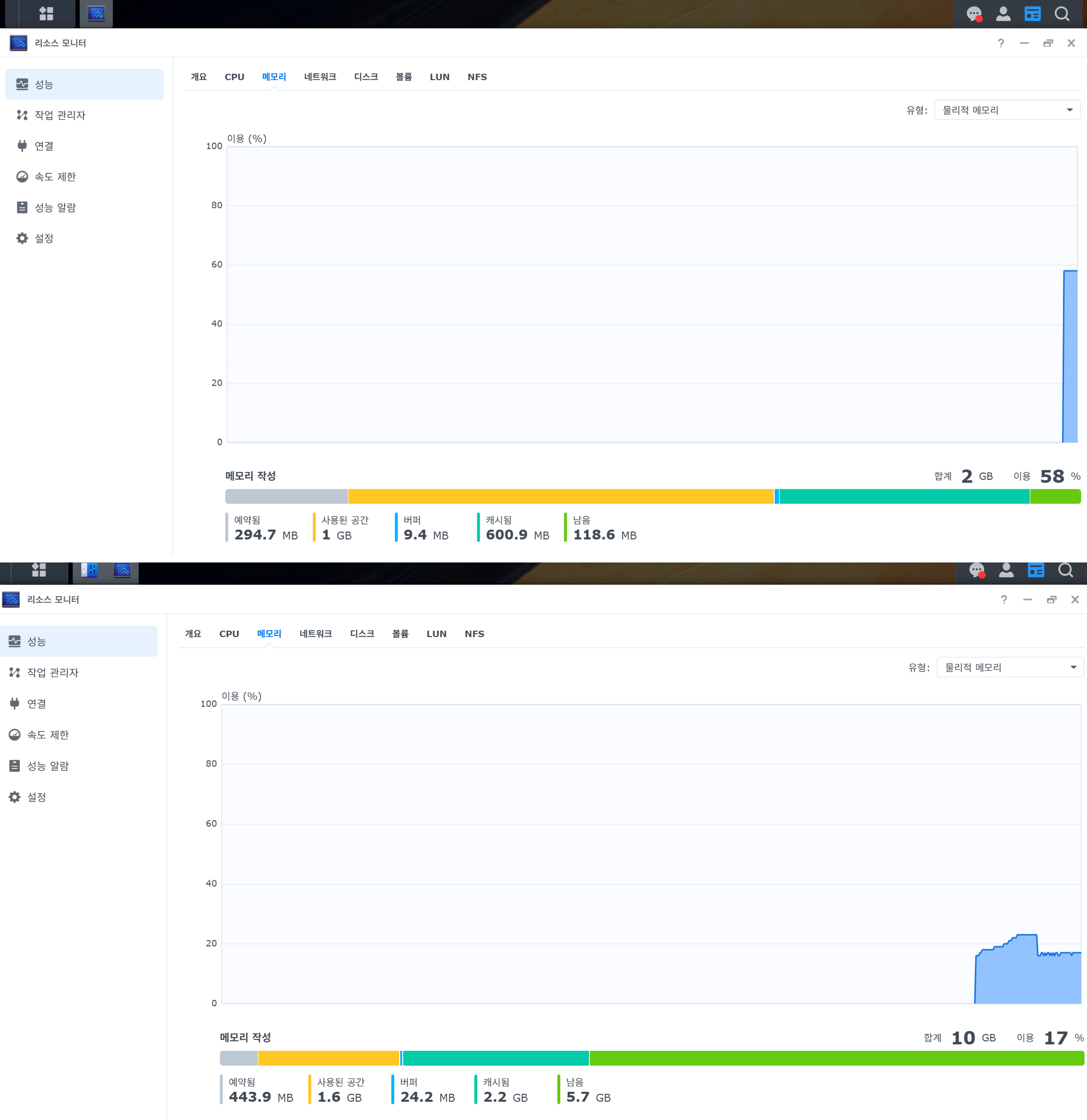
Resource Monitor memory graph before and after the RAM upgrade

2 GB vs 10 GB: The Honest Result of My RAM Upgrade

My three-year-old daughter would press play in Kids Player and wait ten seconds for the sound to start. That wait is why I upgraded my NAS from 2 GB to 10 GB of RAM. So: did it work? The honest answer is two answers. On paper, the upgrade was a triumph. In daily life, it made things about one second better. Both are true, and the gap between them is the most useful thing I learned. ...

June 16, 2026 · 4 min · VibePapa
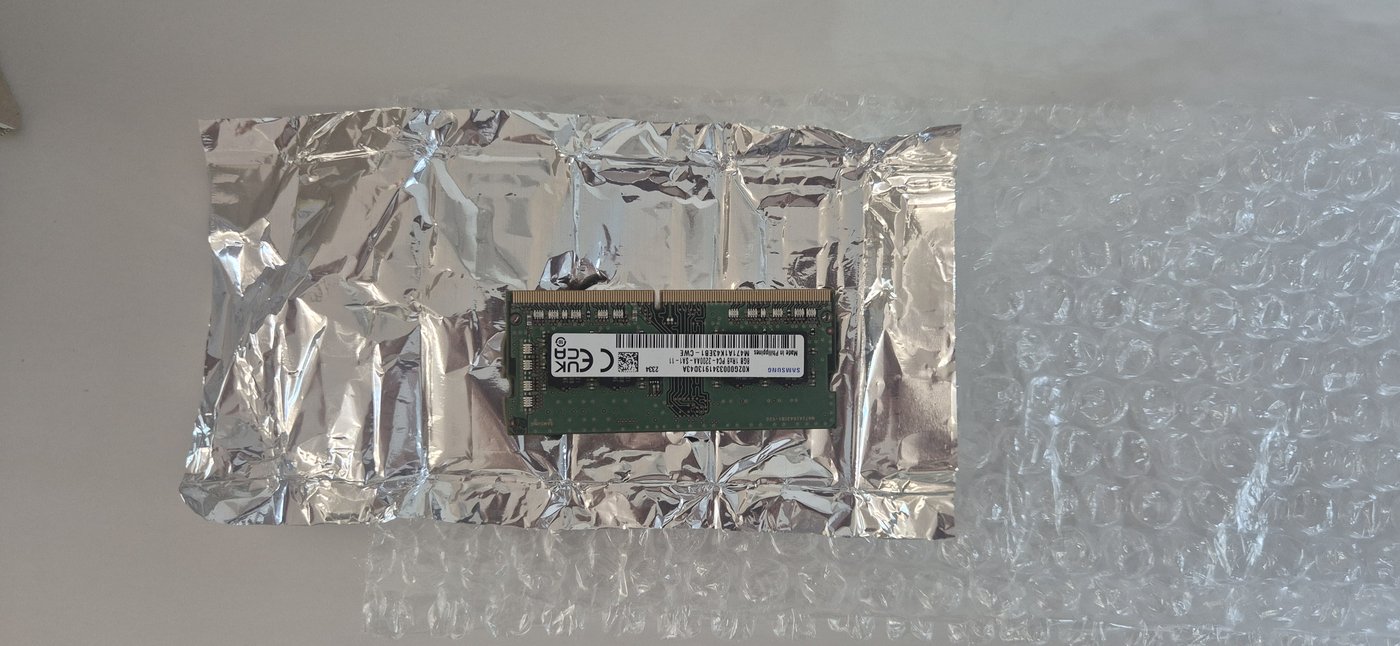
The Samsung 8 GB module that arrived wrapped in foil, with no retail box

Installing RAM in My NAS for the First Time in My Life

In the last post, I ordered an 8 GB RAM module for my Synology DS224+. I paid ₩76,000 (about $55) instead of ₩68,000 (about $49) for a bulk one, because I wanted to avoid a used or unpackaged module. Then it arrived. A plain brown box. Inside, a bare green board wrapped in a sheet of foil and some bubble wrap. No Samsung retail box. No sealed blister. It was bulk after all. ...

June 16, 2026 · 4 min · VibePapa
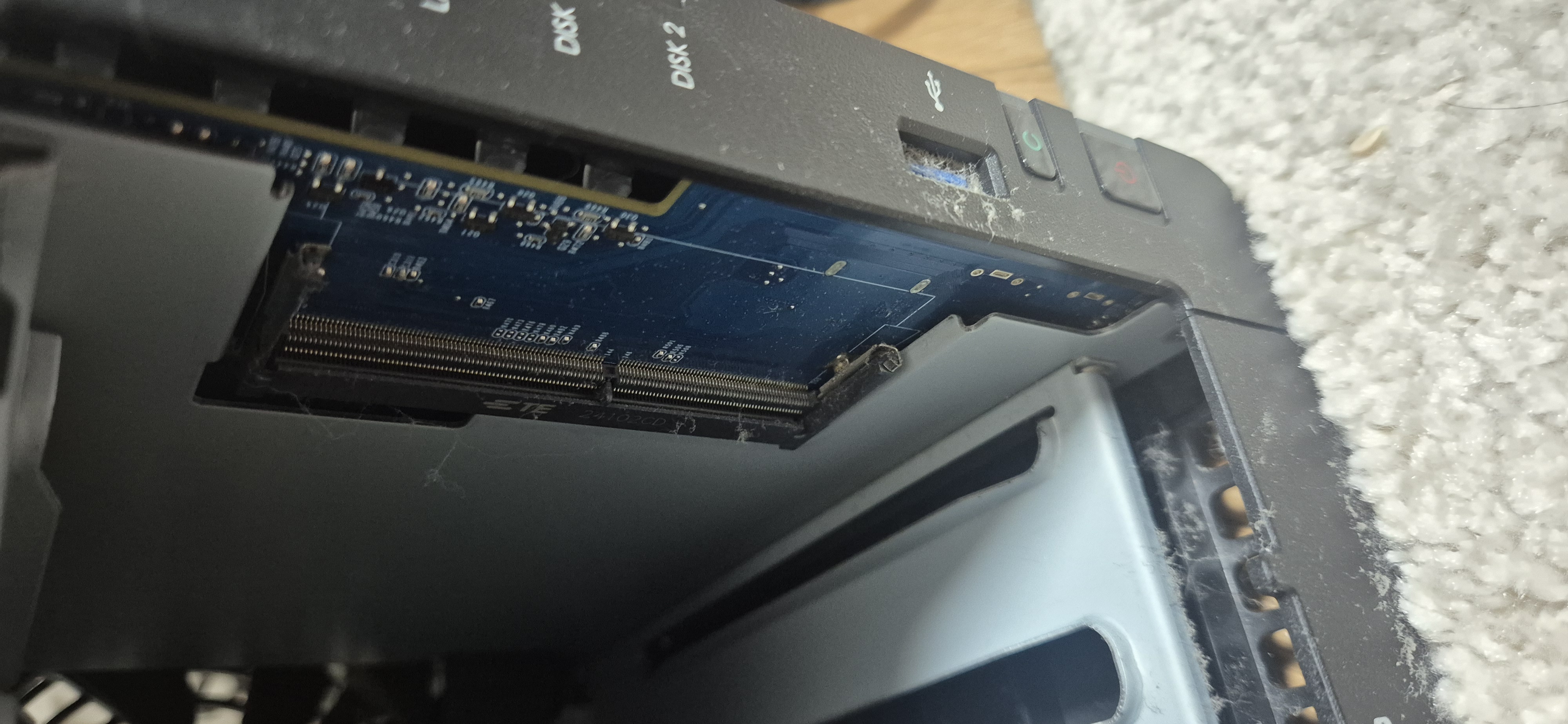
The empty RAM slot inside my DS224+, confirmed by opening the unit

Choosing RAM for a NAS That Isn't Officially Supported

The official specs for the Synology DS224+ say the maximum RAM is 6 GB. This is made up of 2 GB built-in and one 4 GB SO-DIMM module. Still, I ordered an 8 GB module. I will tell you why and how I made that decision. What AI Tools Said I asked both Gemini and Claude Code about compatible RAM for the DS224+. Both gave the same answer. They said officially, the maximum added module is 4 GB (for a total of 6 GB). But they also said what actually works is different. Community users have installed 8 GB modules and are successfully using 10 GB of RAM. There is no guarantee, but there were no reported failures either. ...

June 15, 2026 · 4 min · VibePapa

Nine Apps, 2GB RAM, and the Day It Finally Hit the Limit

For months, my home server ran nine apps on 2 GB of RAM. I kept expecting something to break. It didn’t. Load average sat around 0.2. Apps loaded. Nobody complained. I started to think 2 GB was just enough, and left it at that. Then one afternoon my three-year-old pressed the play button on Kids Player. Nothing happened. She pressed it again. Still nothing. About twelve seconds later, the audio started. ...

June 15, 2026 · 4 min · VibePapa