In the last post, I ordered an 8 GB RAM module for my Synology DS224+. I paid ₩76,000 (about $55) instead of ₩68,000 (about $49) for a bulk one, because I wanted to avoid a used or unpackaged module.
Then it arrived. A plain brown box. Inside, a bare green board wrapped in a sheet of foil and some bubble wrap. No Samsung retail box. No sealed blister.
It was bulk after all.
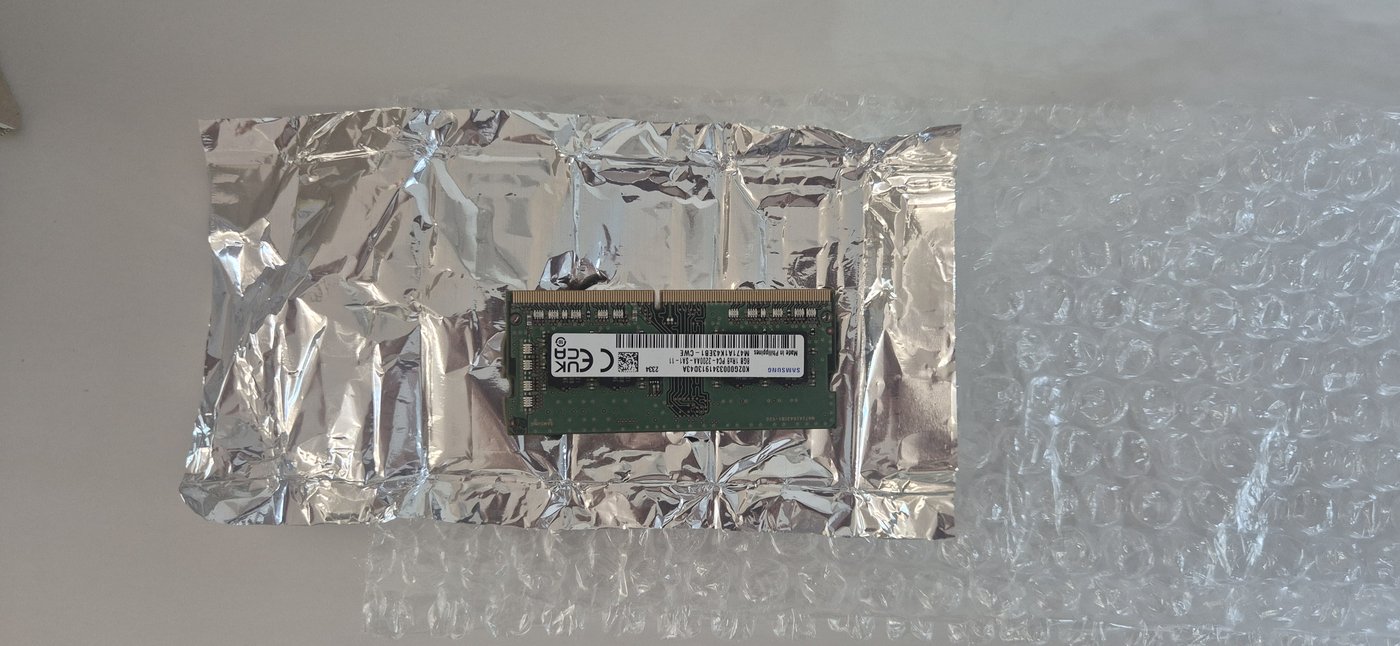 A bare module wrapped in foil, inside a plain brown box. This is what “bulk” looks like.
The ₩8,000 I spent on nothing
Here is the honest math. The listing I avoided, marked as bulk, was ₩68,000. The one I bought was ₩76,000 — ₩8,000 more. I paid that ₩8,000 to not get a bulk module. And a bulk module is exactly what showed up.
The chips are genuine Samsung. The label reads M471A1K43EB1-CWE — an 8 GB DDR4-3200 SO-DIMM, single rank, 1.2 V, non-ECC. So it is a real Samsung part, not a fake. Samsung sells these without retail boxes to system builders. Bulk does not mean fake.
But here is the part I can’t answer: I cannot tell if it is new or used. With my level of knowledge, looking at the gold contacts and the label tells me nothing for certain. Maybe it is brand new. Maybe it was pulled from another machine. I will never know.
I felt a little bitter about it. I am writing that down instead of pretending the purchase went perfectly, because if you buy RAM online, the same thing can happen to you. A listing that does not say “bulk” is not a promise of a sealed retail box.
First time in my life
I am 60 years old. I had never installed RAM in anything before. Not a laptop, not a desktop, not a NAS. This was the first time.
So I was careful in ways that an experienced person would probably find excessive.
My DS224+ has two hard drives. To reach the RAM slot, you remove both drive trays first. Before I pulled them out, I put a small label on each one — left and right — so I could put them back in exactly the same bay.
I later read that a Synology NAS identifies its drives by the data written on them, not by which slot they sit in. So it might have rebuilt the array fine even if I had swapped them. But “might” is not good enough when those two drives hold the only copy of my family’s files. The labels cost me nothing. A mistake could have cost me everything.
The angle, the click, and the moment I froze
An AI had told me earlier that SO-DIMM modules go in at an angle, not straight down. So I lined up the notch, slid the module into the slot at about a 30-degree angle, and it clicked into place.
Then I stopped. The module was sitting there at an angle, clicked in but clearly not finished. And I did not know what to do next. Push it down? Leave it? Would I break it?
I asked the AI again. The answer: with the module clicked into the slot at an angle, press it down toward the board with both hands until the metal clips on each side snap shut. So I did. I put a thumb on each end and pressed down gently.
Another click. The clips on both sides closed over the module and held it flat.
That was it. It was seated.
Powering on
I put the drive trays back — left in left, right in right, thanks to the labels — closed the case, reconnected everything, and pressed the power button.
The NAS booted normally. I opened Control Panel → Info Center and looked at the memory line.
10 GB.
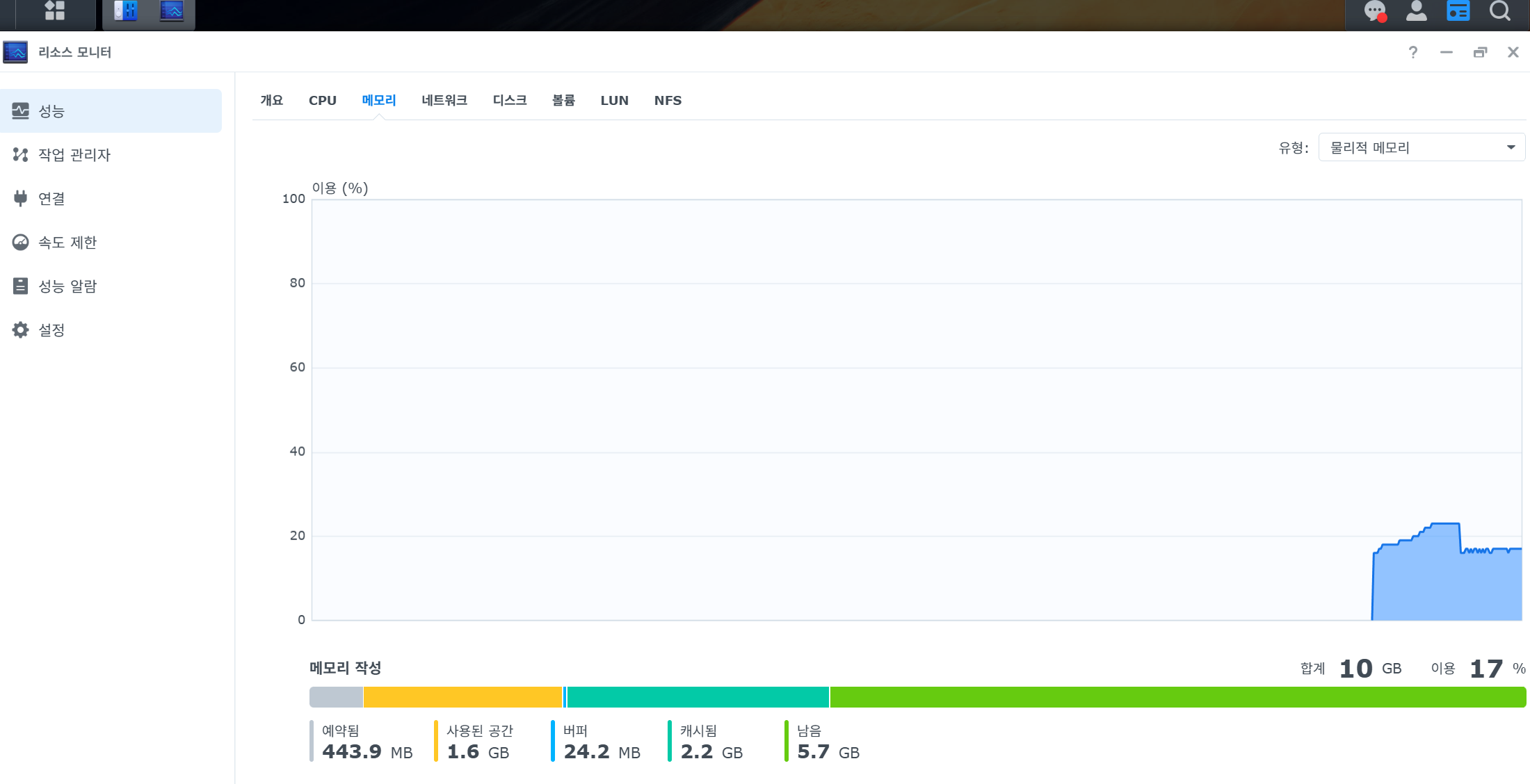 Total memory: 10 GB. The unofficial 8 GB module was recognized.
The official spec says this NAS maxes out at 6 GB. The 8 GB module gave me 10 GB, and the system came up without complaint. The community reports were right.
What this cost
- Samsung M471A1K43EB1-CWE — 8 GB DDR4-3200 SO-DIMM, 1Rx8, non-ECC
- Paid: ₩76,000 (about $55)
- Bulk listing I avoided: ₩68,000 — so I paid ₩8,000 extra and got bulk anyway
- Tools: one screwdriver
- Genuine Samsung, but I cannot confirm new vs used
A 60-year-old, first time, one screwdriver, and a NAS that now reports 10 GB. It worked.
But “it powered on with 10 GB” is not the same as “it is faster.” The whole reason I did this was my daughter’s ten-second wait in Kids Player. Did the upgrade actually fix it? That is the next post — and the answer is more honest than dramatic.