I have a feature in my Bible app that I am quietly proud of. This feature connects Old Testament and New Testament verses that point to the same idea—one side is the shadow, the other is its fulfillment. It lets me bring up these pairs as I read. Until this past week, what the app could not do was show where these pairs came from when there were two different sources for the list.
The Need: Two People, Two Lists, One Bible
I get most of these verse pairs shared with me daily by a specific saint. When they connect verses from Genesis and the Gospels, I add that pair to the app. However, my family also adds Old and New Testament verse pairs to the app when they find them. The problem was that the pairs given by the saint and the pairs found by my family were not distinguished.
The Proof: The Answer Is in the Underline
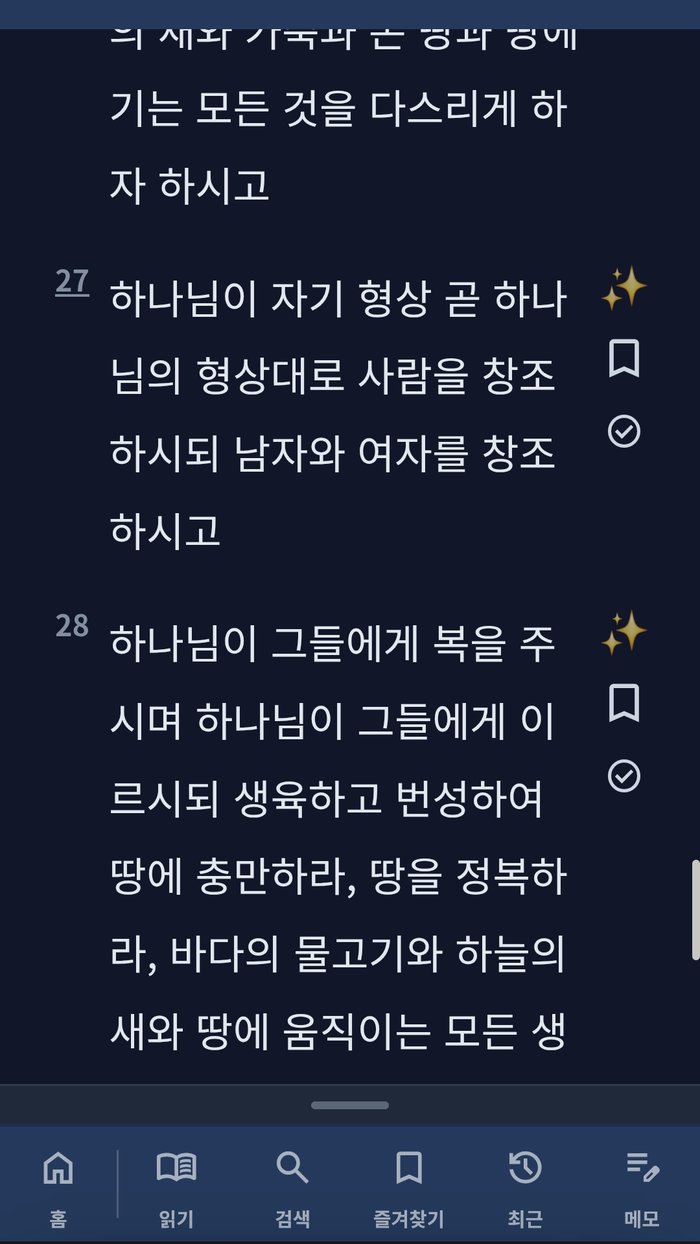
Now, the app underlines matching Old and New Testament verse pairs based on who found them:
- One line under each Old and New Testament verse if the saint found the pair.
- Two lines if my family found the pair.
- Three lines if both the saint and my family found the pair.
You don’t need to open a menu or hover over anything. Just read the page as usual, and the number of lines under the verse tells you how it got there.
Every verse has a sparkle icon next to it. It is not a “this verse has a pair” marker — it is the entry point to AI help for that verse, with four tabs: a general explanation, an original-language breakdown (Hebrew or Greek), an Old/New Testament comparison, and a box to ask my own question.
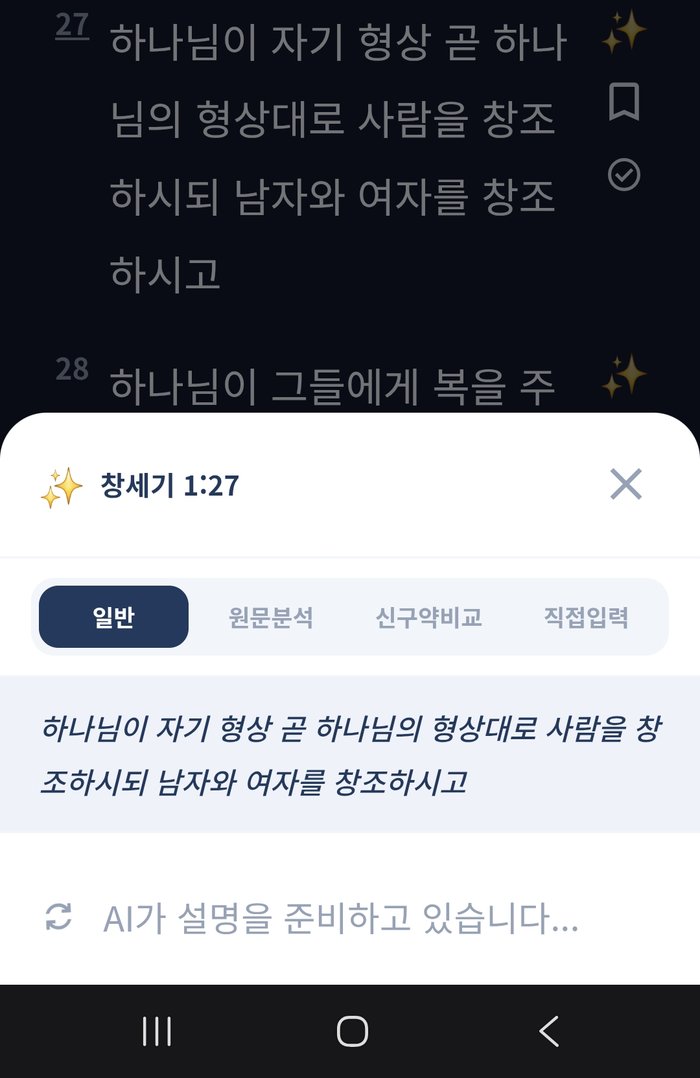
Tapping the sparkle opens a card right over the reading view. It lands on the general tab first, with the plain verse text and an AI explanation loading below it.
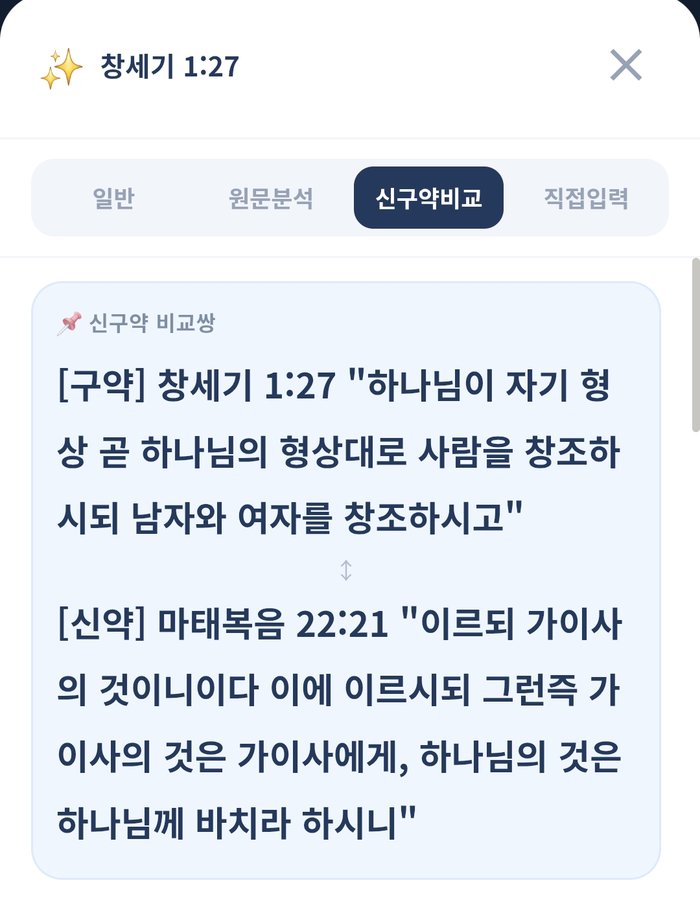
The Old/New Testament comparison tab is where the underlines matter. If the verse already has a registered pair, this tab shows that pair — Genesis 1:27 next to Matthew 22:21 below — and explains the connection. If no pair is registered yet, the AI doesn’t just say so; it looks for a matching verse on its own and explains that instead.
The Story: Why the Count, and Not Just a Highlight
My first instinct was to use highlight colors instead of counts. But colors need a legend, and you have to remember what each color means. Line counts are not like that. One line reads as “Someone made this connection.” I also moved the button for adding new pairs in the Bible app. Before, it was inside the general reading-settings menu, which needed many taps. Now, it is right next to the main reading view. This is because adding pairs is something you do while actually reading, not when you are setting up the app.