My daughter’s nursery-rhyme tab gives every song a picture instead of a title, so she can tap a cover without reading a word she doesn’t know yet. Most of those pictures are AI-drawn. Last week I swapped one of them for a plain photo — acorns I’d picked up on a hike that same afternoon — and she noticed before I said anything about it.
The Need: A Picture Has to Match Something She Knows
This tab works the way I’ve written about before: one still picture per song, tap it, hear it. No scrolling list of titles she can’t read. For most songs, an AI-drawn illustration is enough — a frog on a lily pad, a rabbit under the moon. She matches the picture to a song she already half-remembers from bedtime.
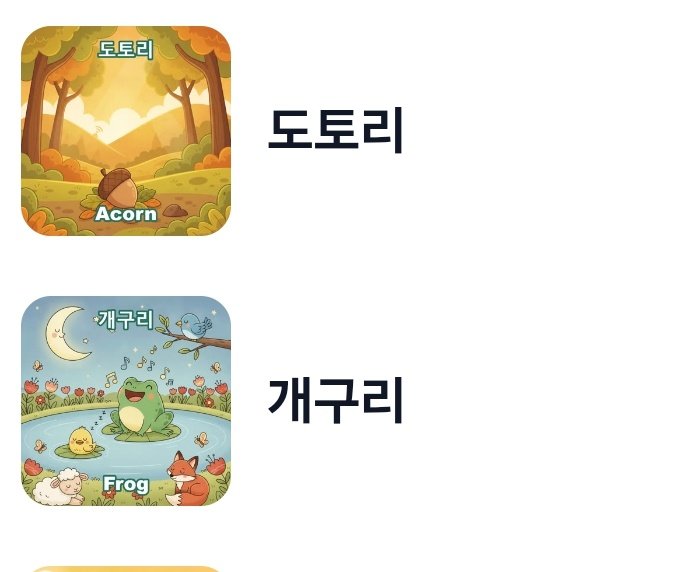
One of the songs in this folder is called “Acorn.” Its cover had been a nicely drawn forest scene — soft autumn light, a cartoon acorn sitting in the grass. It was a fine picture. It just wasn’t an acorn she’d ever actually seen. It was a drawing of an idea of an acorn.
The Proof: She Went Back to Look Again
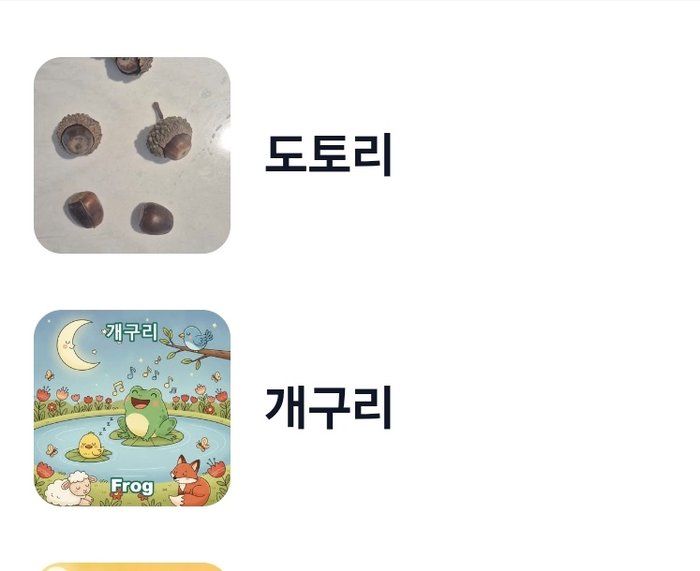
That same afternoon I’d been on a hike and picked up a handful of real acorns off the ground, the way I usually do without much of a plan for them. Back home, I opened the admin page where I manage this tab’s cover pictures, and instead of typing another description for the AI to draw, I just uploaded the phone photo of the acorns sitting on our counter and made that the cover.
Before — an AI-drawn forest scene for “Acorn”:
After — the actual acorns I’d picked up that day:
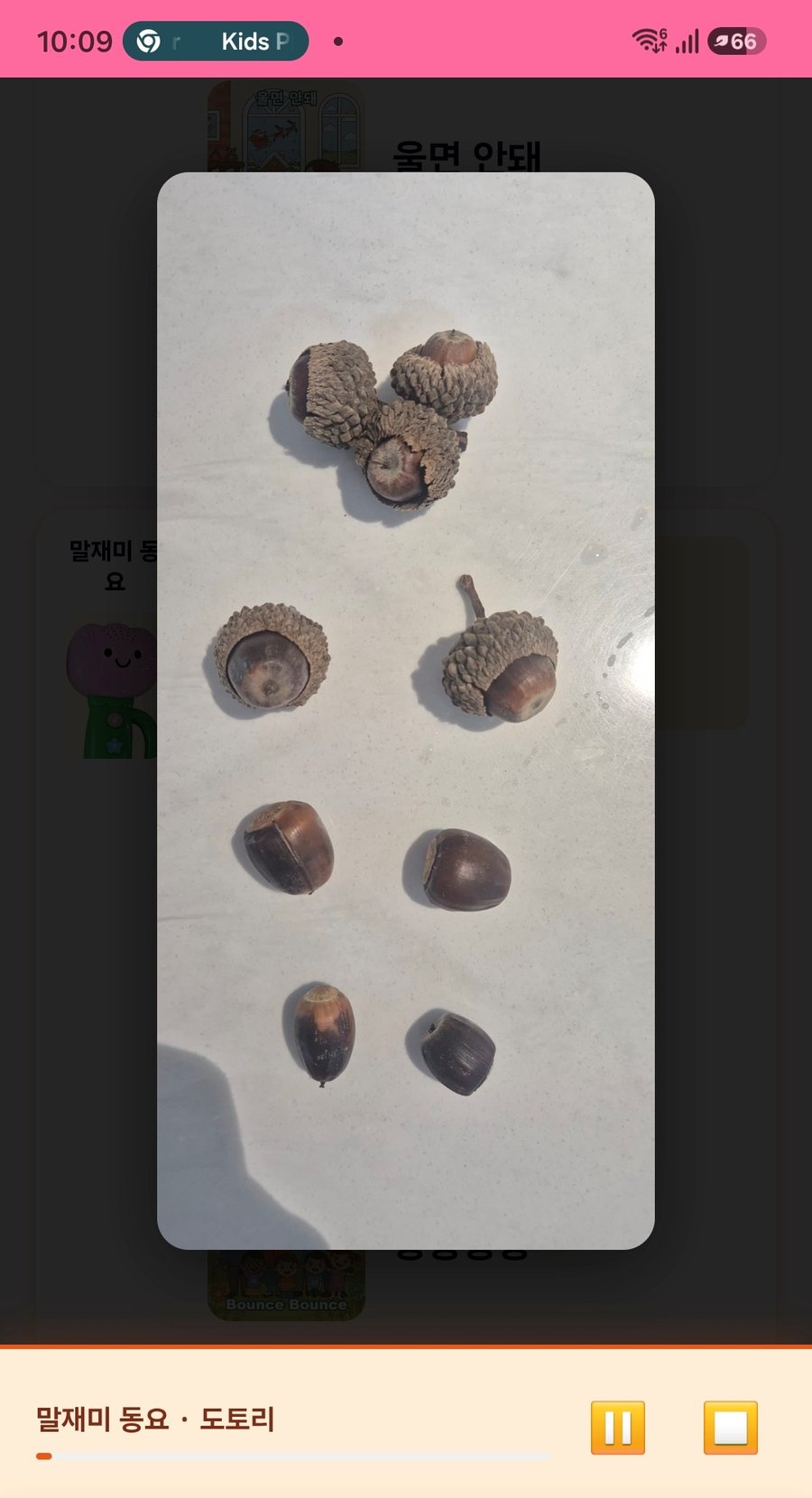
She opened the tab, saw the new cover, and stopped. Then she tapped it to bring up the full picture and just looked at it.
She came back to that same cover several more times over the next couple of days — not to hear the song again, since she’d already heard it, but to look at the picture. That’s not something I saw happen with any of the AI-drawn covers.
The Story: Why a Photo Beat Another AI Try
The admin tool behind this tab was never built to draw from scratch every time. I already use it to attach a reference photo when I want an AI picture to match something specific — a real stuffed animal’s shape, a real pose — a habit I only picked up after asking for too much in one AI edit and losing unrelated parts of a picture. A reference photo keeps the AI closer to the real thing.
What I did this time was smaller than that. I didn’t ask the AI to draw acorns that looked like my photo. I skipped the drawing step and let the photo be the cover. No prompt, no generation, no review round. The picture didn’t need to resemble the object anymore, because it already was the object.
I think that’s part of why she reacted to it differently. Every other cover in this tab is a picture standing in for a thing — a nice drawing of an idea of a frog, an idea of an acorn. This one wasn’t standing in for anything. It was the acorns, the same ones sitting on our counter that she could have picked up and held.
The How: Reusing a Feature It Wasn’t Built For
Nothing about the admin tool changed to make this possible. It already worked like this, for a different job:
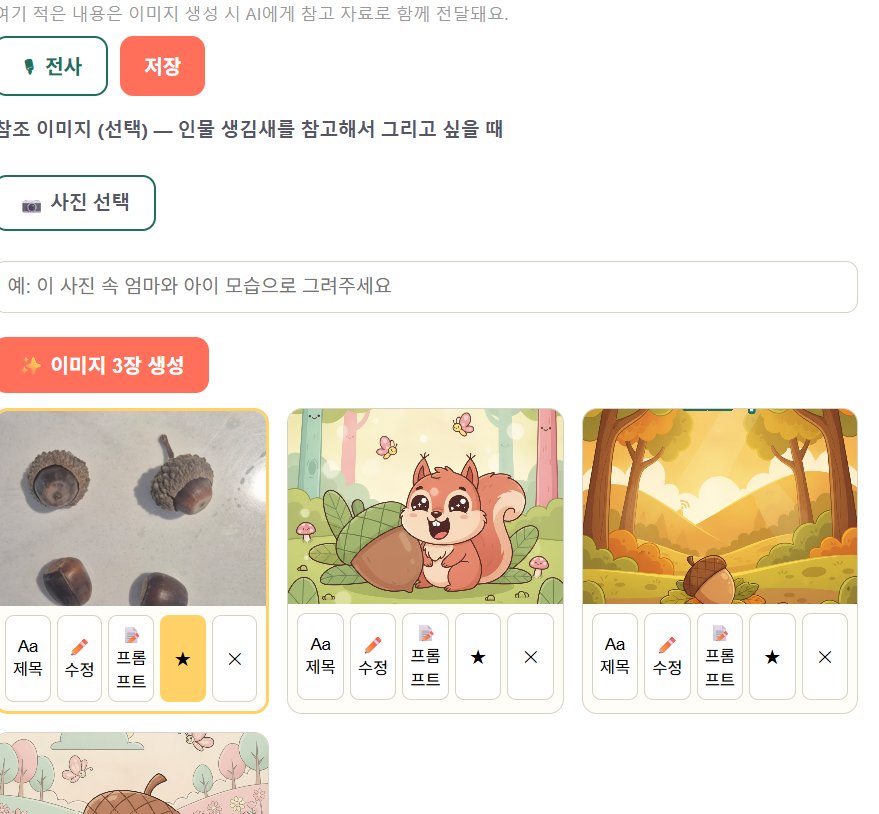
- Each song has a grid of thumbnail candidates, not just one fixed cover. Normally you type a description, click “Generate 3 Images,” and get three AI drawings added to that grid.
- A star button on each candidate sets it as the representative cover for that song. Older candidates aren’t deleted — they just stop being the one shown. I’ve relied on this before to walk back a bad AI edit without losing the picture I started from.
- A “Choose Photo” button lets you attach a reference image before generating — normally used so the AI has something concrete to copy from, instead of guessing from a text description alone.
- The new part was skipping step 1 entirely. I used the same “Choose Photo” upload to drop the acorn photo straight into the candidates grid, then hit the star on it. No AI generation ran at all.
Nothing here cost anything beyond the hike I was already on. The feature that made it possible wasn’t new, either — it was a photo-upload button built for a completely different reason, doing a second job I hadn’t planned for until I needed it.